

Key Takeaways
- Consistency beats shortcuts: Raising your star rating comes from building a steady habit of collecting honest feedback, not from chasing quick fixes.
- Keep your profile updated: Fresh photos and clear business details build instant trust before shoppers even read your reviews.
- Make leaving feedback effortless: Send direct review links or share QR codes right after a positive visit so happy customers can respond in seconds.
- Follow Google's rules: Ask every customer equally for honest feedback, and never offer discounts or freebies in exchange for high ratings.
- Reply to every review: Thank happy customers quickly and respond politely to complaints to show future buyers that you care about service.
- Report rule-breaking spam: Flag fake accounts or competitor attacks, and use Google's one-time appeal if needed.
Your Google Business Profile is often the very first impression potential customers have of your brand. In many cases, your star rating determines whether they click on your business or scroll straight to a competitor. Needless to say, improving it should be one of your core priorities.
Google Business Profile optimization involves keeping your listing accurate while actively building trust. Knowing where to focus your efforts ensures you attract more local buyers without risking penalties from Google's strict review guidelines.
We created this blog to help you set up an effective Google reputation management strategy. Below, we discuss:
- How to Optimize Your Google Business Profile
- How To Increase Google Star Rating
- How to Get More 5 Star Google Reviews Without Violating Policies
- How to Monitor and Respond to Google Reviews
- How to Remove Fake or Negative Google Reviews
How to Optimize Your Google Business Profile
Your Google Business Profile (GBP) is a free listing that controls how your company appears across Google Search and Google Maps. It displays essential details like your location, hours, photos and reviews. Optimizing the profile is crucial as it serves as your digital storefront. When done right, it helps nearby customers easily discover your business.
To improve your visibility, you need to understand how Google decides which listings appear first. Google ranks local businesses based on three core factors: relevance, distance and prominence.
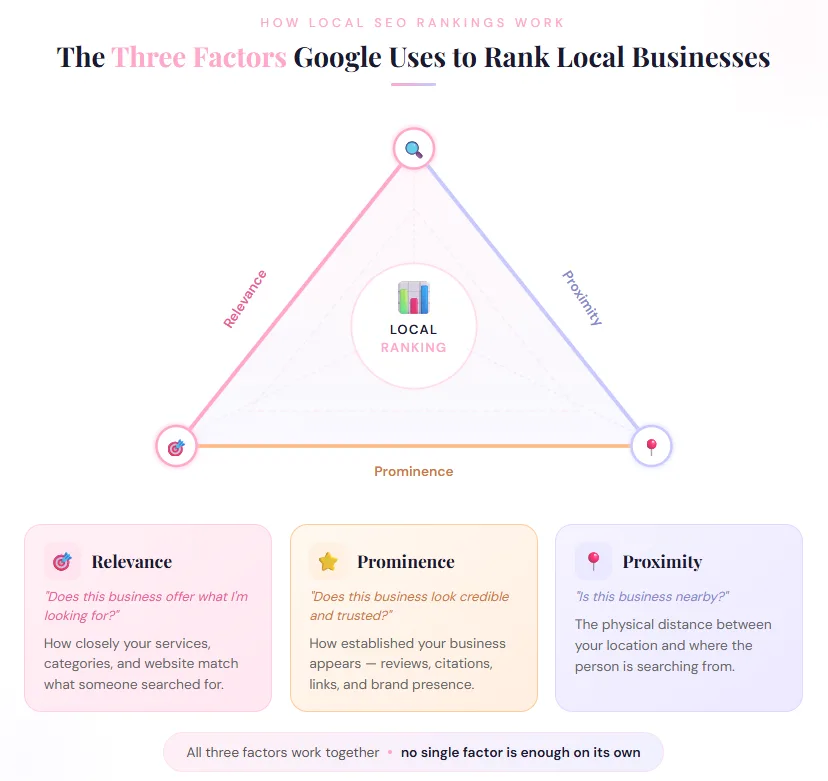
Image Source: Zoca
You can't change your physical address to appear closer to searchers, but optimizing your profile directly improves your relevance and prominence so you rank higher on Google. Use these simple best practices to set up your listing properly and attract local customers:
- Fill out every detail accurately: Claim and verify your profile, then make sure your exact business name, address and phone number match what is on your website.
- Pick the right business categories: Choose the most specific primary category for what you do (like "Cosmetic Dentist" instead of just "Dentist"). Only add extra categories for other services you actually offer.
- List your services and products: Write a clear description of your business and list the exact services or products you sell. Add helpful details so customers can easily find you when filtering search results.
- Upload real photos and regular updates: Share real photos and short videos of your storefront and team. You can also post occasional updates or special offers to show both Google and shoppers that your business is active.
- Link to the right page on your website: Connect your profile to the specific location or service page that best matches what local customers are looking for.
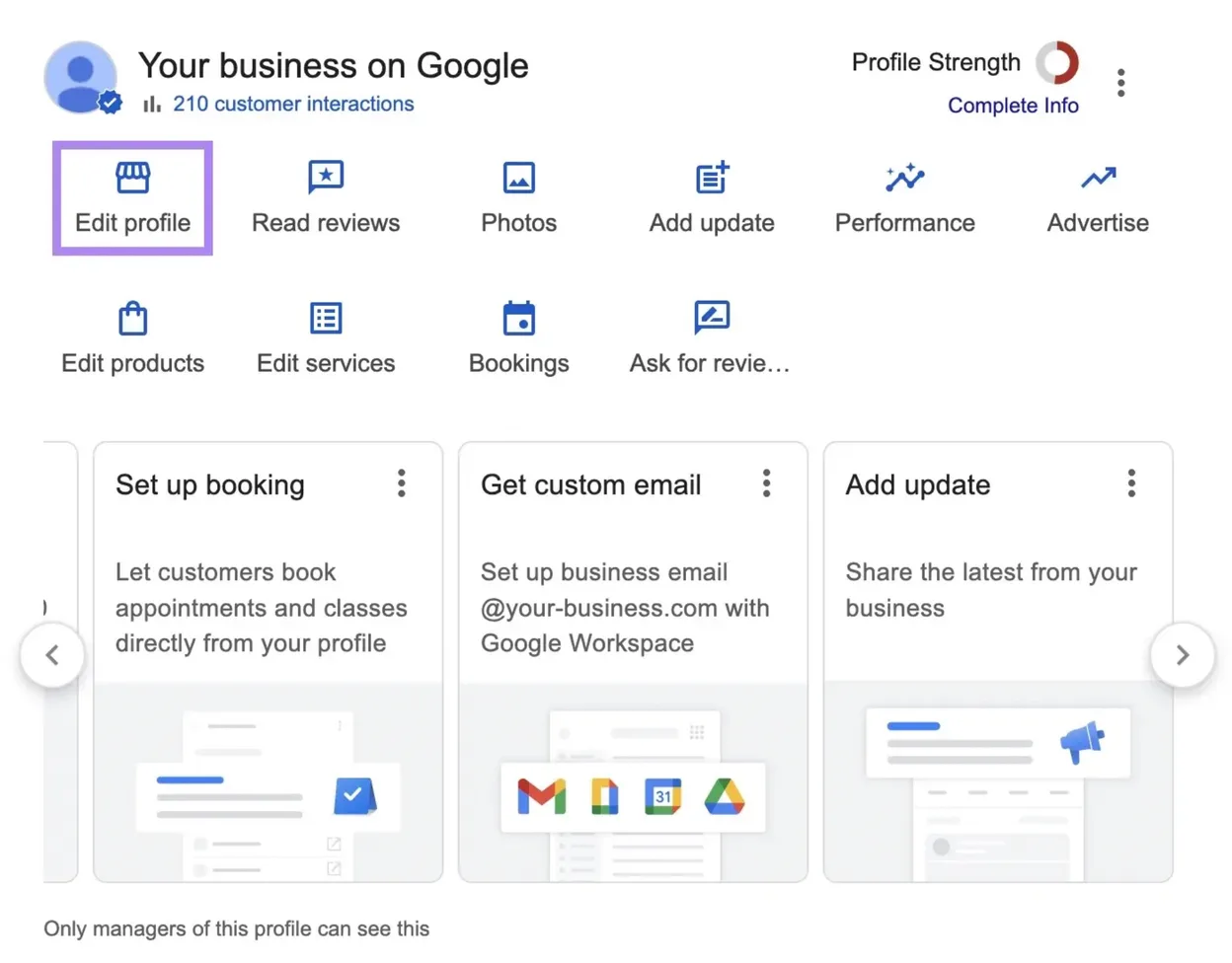
Image Source: Semrush
Make sure you fill out every section under Edit profile, Photos, Edit products and Edit services. Keep an eye on your Profile Strength indicator to ensure your listing is fully optimized for local search visibility.
How To Increase Google Star Rating
When ranking your listing, Google looks at three things: how many reviews you have, your average star rating and how recent those reviews are. This means that regularly getting new reviews signals to search engines and your customers that your business is reliable.
Your overall star rating is simply the average of every review on your profile. That means the number of five-star Google Business Profile reviews you need to boost your score depends on how many reviews you already have:
| Current Profile Size | Starting Rating | 5-Star Reviews Needed | New Star Rating | Impact Speed |
|---|---|---|---|---|
| Fewer than 20 reviews (e.g., 10 reviews) | 4.0 stars | 5 in a row | 4.3 stars | Fast Each new review moves your score noticeably |
| 100 or more reviews (e.g., 100 reviews) | 4.0 stars | 50 in a row | 4.3 stars | Gradual Requires steady volume over time |
Keep in mind that your goal does not need to be perfect.
"For most local businesses, a rating between 4.5 and 4.8 stars is an excellent target," said Ralph Gotosa, Thrive Local's Account Manager.
"Interestingly, having a perfect 5.0 rating isn't necessarily better. Some consumers may approach a perfect score with skepticism, particularly when a business has accumulated hundreds of reviews. People understand that no business gets everything right every time. A mixture of overwhelmingly positive feedback and the occasional constructive criticism can actually make a business appear more genuine."
When learning how to improve Google reviews, it's best to focus on steady growth rather than sudden spikes, which can trigger Google's spam filters. Collecting a few pieces of feedback every week or month is the safest way to consistently raise your rating over time.
How to Get More 5 Star Google Reviews Without Violating Policies
The easiest way to earn more five-star Google reviews is to give customers a great experience and make leaving feedback quick and simple. When the process takes just a few seconds, happy customers are much more likely to leave a positive rating on your Google Business Profile.
Use these easy ways to get more five-star reviews after a purchase or service:
- Ask right after a great experience: “Timing is incredibly important. Ask while the experience is still fresh in the customer's mind,” Gotosa said. "For example, a plumber should request a review immediately after completing a successful installation or repair. Similarly, a medical practice could send a request following an appointment."
- Send a direct review link or QR code: Grab your direct review link from your Google Business Profile dashboard and share it via text message, email, digital receipts or a printed thank-you card with a QR code.
- Automate your review requests: Set up your booking or checkout software to send a friendly follow-up message to every customer, asking for their honest feedback.
- Have your team ask in person: When a customer compliments your service, train your staff to politely mention that a quick Google review helps your business. Then follow up that interaction with a text or email link.
To keep your Google Business Profile safe from penalties, use the comparison table below to see which review practices Google allows and which ones violate its policies:
| ❌ NOT ALLOWED Google Policy Violations | ✅ ALLOWED Safe and Compliant Practices |
|---|---|
| Offering rewards or incentives Giving out discounts, gift cards, or freebies in exchange for a review. | Asking politely without incentives Requesting honest feedback as a standard part of your follow-up process. |
| Review gating Using private surveys to filter out unhappy customers and only sending the Google link to happy ones. | Sending your link to everyone Giving every customer an equal opportunity to leave a public review. |
| Using shared tablets or store Wi-Fi Asking customers to leave a review on a company device or while connected to your shop's internet. | Sharing personal links or QR codes Letting customers leave reviews from their own phones via text, email, or printed cards. |
| Telling customers what to write Coaching buyers on what to say or tying staff bonuses to five-star review counts. | Keeping your request simple and honest Inviting customers to share their genuine experience in their own words. |
How to Monitor and Respond to Google Reviews
Once you learn how to get customers to leave Google reviews, the next step is managing that feedback to protect your reputation. Actively monitoring your profile and replying to every comment shows both Google and potential buyers that you care about customer service.
Use these simple habits to build trust with new shoppers:
Turn on Review Alerts and Reply Quickly
Enable email or app notifications in your Google Business Profile settings so you know the moment a new review is posted. Aim to reply within 24 to 48 hours while the interaction is still fresh.
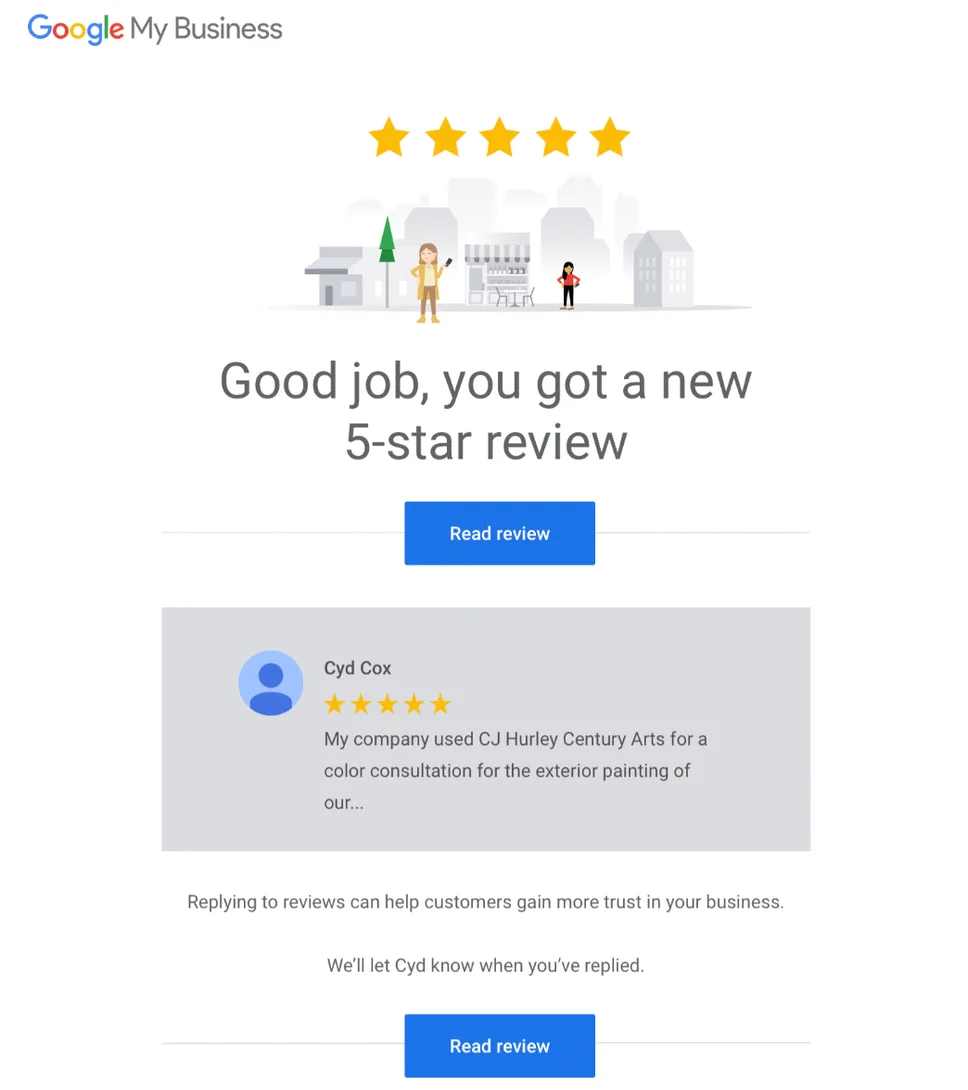
Image Source: Google Help
Example of an instant Google review email alert with a direct link to reply.
Personalize Replies to Positive Reviews
Thank the customer by name and mention a specific detail from their comment. This might include the product they bought or the team member who helped them. A warm reply encourages repeat visits and shows future shoppers that real people run your business.
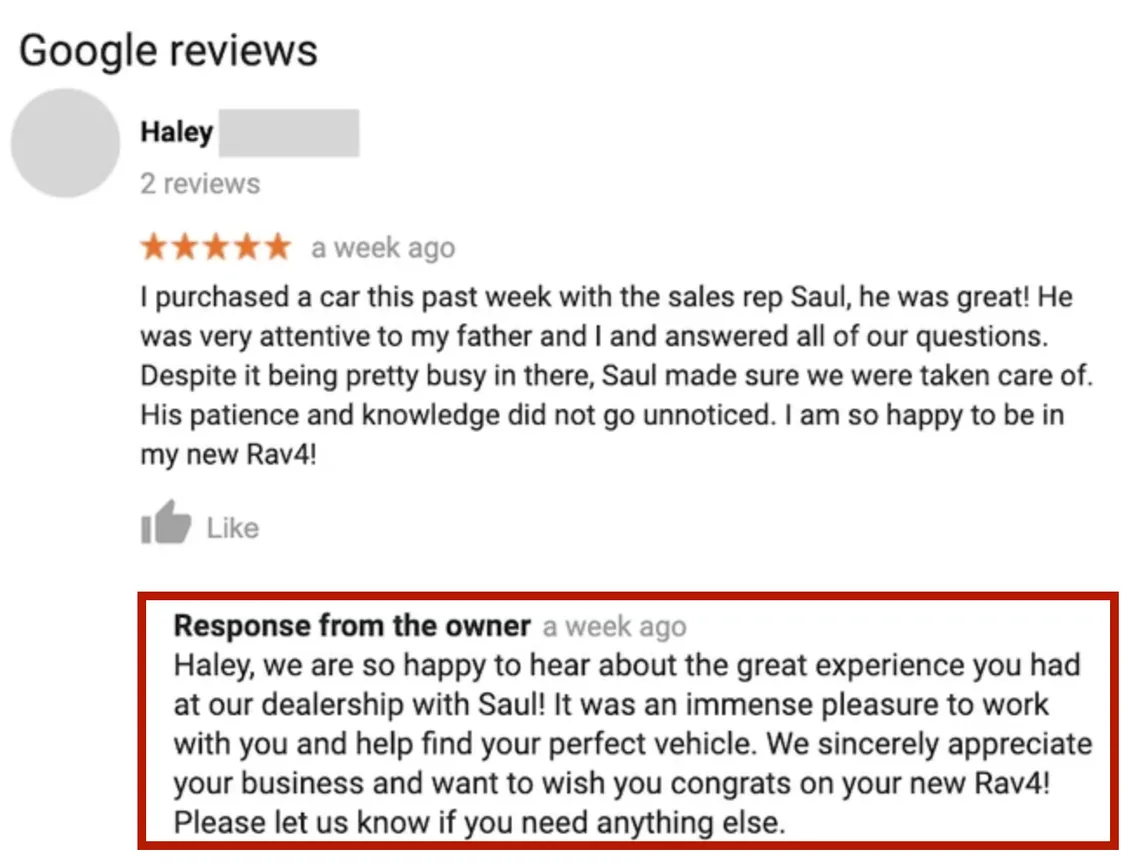
Image Source: WiserNotify
Example of a personalized owner reply that greets the reviewer by name and mentions both the team member and vehicle from her review.
Handle Negative Reviews Calmly
A critical review can feel frustrating. But staying professional turns a difficult moment into an opportunity to demonstrate your customer service in action.
"Responding to negative reviews is arguably one of the most important aspects of reputation management," Gotosa said.
"Negative feedback doesn't automatically damage a business's reputation beyond repair. In fact, the way a business responds can sometimes make a stronger impression on potential customers than the review itself."
Because Google notifies reviewers when you reply, a helpful response can sometimes encourage an upset customer to update their rating. More importantly, your reply shows everyone how you treat people when things go wrong.
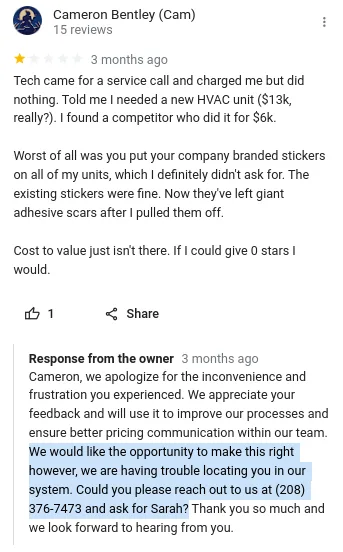
Image Source: ResponseScribe
Example of a professional owner reply that apologizes and invites the reviewer to resolve the issue offline.
Use Feedback to Improve Your Operations
Look for recurring themes across your reviews and address them in your day-to-day business to prevent future negative ratings. Sharing these improvements in future customer updates also shows shoppers that you actively listen to their feedback.
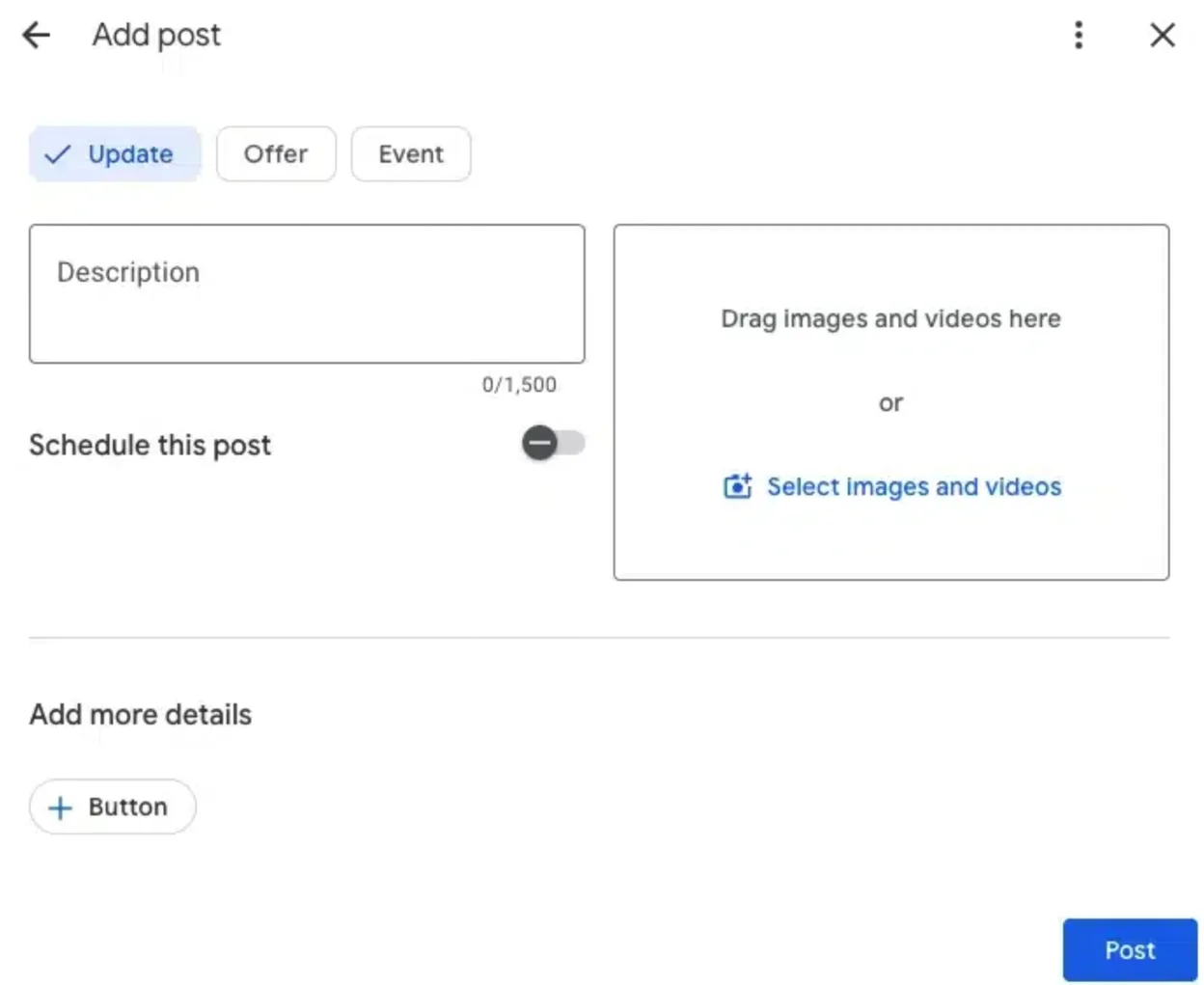
Image Source: Wiremo
Use the Google Business Profile Update post tool to share improvements inspired by customer feedback.
How to Remove Fake or Negative Google Reviews
You cannot delete a review yourself, even if it is unfair. However, you can request a Google review removal for any comment that breaks the rules. Before reporting, check if the feedback fits one of these categories:
- Fake accounts or spam: Reviews from bots or people who never visited your business.
- Off-topic comments: Posts about politics or a different company.
- Competitors or former staff: Reviews left by rivals or ex-employees trying to lower your score.
- Harmful or private info: Comments with hate speech, threats, swearing or someone's private phone number or home address.
- Extortion scams: Fake low ratings paired with messages asking for money to take them down.
If a review breaks one of these rules, flag it right away:
- Sign in to your Google Business Profile and click Read reviews.
- Find the fake or rule-breaking review and click the three dots next to it.
- Click Report review.
- Pick the reason that fits best (such as Spam, Off topic or Conflict of interest) and click Submit.
Google usually takes a few days to check your report. You can check the progress in Google's Reviews Management Tool.
However, a Google review removal request does not guarantee immediate approval. Google may still leave a fake review up after your first report, so you get one chance to ask for a second look:
- Open Google's Reviews Management Tool and pick your business.
- Select Check the status of a review I reported previously and appeal options.
- Scroll down and click Appeal eligible reviews.
- Choose the review and explain clearly which rule it breaks.
- Send your appeal.
Google will send its final decision to your email.
Level Up Your Google Reputation Management Strategy
A stronger Google rating comes from building a consistent review process, not chasing shortcuts. Start with solid Google Business Profile optimization, so shoppers see accurate hours and up-to-date details, then focus on asking real customers for honest feedback.
For businesses managing multiple locations or busy teams, Thrive Local brings those daily steps into one streamlined workflow. We can help with automated review requests, real-time review monitoring, reputation management and business listing updates.
We make it easier to collect honest feedback and act on what matters, giving you a reliable system when learning how to increase Google star rating scores over time. Contact us today to learn more.
Frequently Asked Questions
How can I manage and improve my business's reputation on Google?
Keep your business details up to date so shoppers can easily find you. If a new review lands, respond within 24 to 48 hours to signal that your business is active. Don't forget to ask every customer to leave feedback after a visit. Earning fresh Google Business Profile reviews while handling concerns politely builds trust and lifts your overall star rating.
What are the best Google reputation management strategies for local businesses?
Ask customers for feedback right after a good experience. Turn on review alerts so you can reply quickly, and report fake comments that break Google's rules. Following these simple steps on how to improve Google reviews builds customer trust without risking penalties.
How do Google Business Profile reviews affect local search rankings and customer trust?
Google checks how many reviews you have, how high your score is and how recently people left feedback to decide where your business ranks in local search results. Combining strong Google Business Profile optimization with steady positive reviews helps your listing appear higher on the map.
How to get customers to leave Google reviews?
Make leaving feedback easy by sending your direct Google review link in a follow-up text or email right after a visit. You can also print a QR code on your receipts or display it at your checkout counter. Asking every customer, without offering discounts, brings in real Google Business Profile reviews while keeping your listing compliant with Google's policies.
Can I offer discounts or freebies in exchange for reviews?
No, Google strictly prohibits offering discounts or loyalty points in exchange for ratings. Breaking this rule can wipe out your hard-earned feedback and even restrict your listing. Stick to compliant methods on how to get customers to leave Google reviews so every rating stays safe on your profile.
Should I reply to positive reviews or only negative ones?
Reply to every review you receive, whether the rating is five stars or one star. Thanking happy customers shows shoppers that you value their business, while politely responding to complaints shows that you care about fixing mistakes. Making consistent replies part of your Google reputation management routine signals that your business is active.
Is it against Google's rules to only ask happy customers for reviews?
Yes, filtering out unhappy shoppers and only sending review links to satisfied ones violates Google's policies. Every customer must receive the same fair opportunity to share their honest experience. If you want to know how to get more 5 star Google reviews safely, focus on delivering great service and inviting every customer to leave unbiased feedback.
How long does Google review removal take after reporting?
Google usually takes several days to evaluate a flagged review, though complex cases or appeals can take a couple of weeks. You can check whether a comment is still pending or has been rejected inside Google's Reviews Management Tool. Tracking your Google review removal requests there helps you know right away if you need to submit an appeal.
How long does it take for a new Google review to show up?
Most customer reviews appear on your listing within a few minutes to a few days. Sometimes Google holds a post briefly while its spam filters verify the reviewer's account or check for policy violations. Staying consistent with how to improve Google reviews helps legitimate reviews clear automated checks smoothly.